Professional and clear layout
Templates designed for recruiters: clear hierarchy, easy to scan on screen and on paper.
Update your CV in minutes with modern templates, ready to send to recruiters and compatible with ATS. No design skills required.
Generador de CV online creado por MultiIdeasWeb, pensado para mejorar la forma en que te presentás ante reclutadores, empresas y clientes.
An online CV builder lets you create your resume directly in the browser, without complex Word templates. You just fill in your information and the system builds the layout and sections for you.
This CV builder by MultiIdeasWeb is designed for job seekers, professionals who need to update their CV and recruiters who appreciate clear, well-structured documents.
Templates designed for recruiters: clear hierarchy, easy to scan on screen and on paper.
Fill in your data, experience and education. The system builds your CV and exports it to PDF.
Simple structure and standard fonts so applicant tracking systems can read your information.
Pick one of the available designs: clean, corporate or dark elegant.
Add your personal information, work experience, education and skills.
Generate your CV in PDF, ready to send via email, WhatsApp or job platforms.
These are some of the designs you can use inside the builder. Each one is optimized for fast reading and professional use.
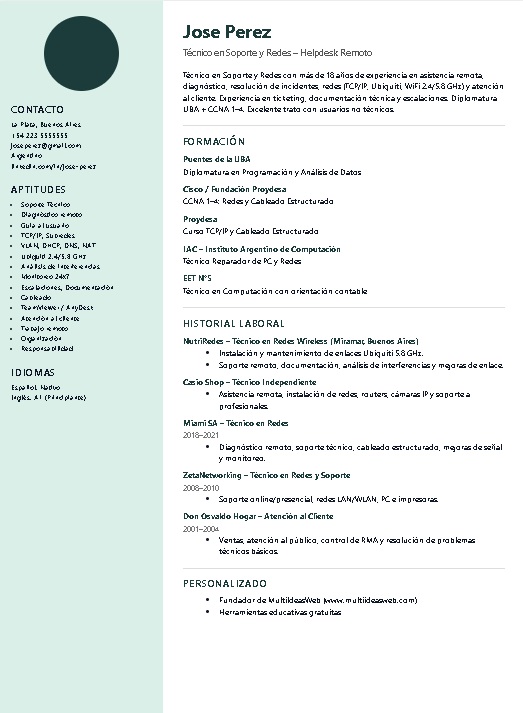
Clean style with side column for contact details and main area for experience and education.
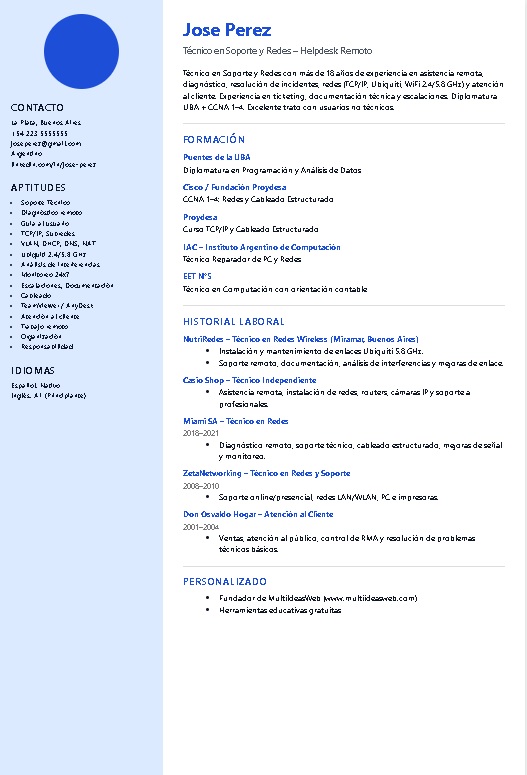
Great for corporate, administrative and office roles. Sober and professional.
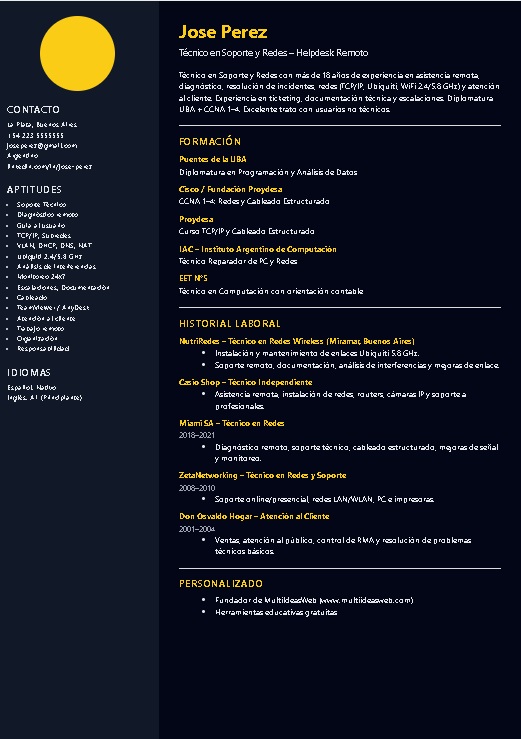
Dark background with color accents, designed to stand out while keeping readability.
You can test the builder and see your CV. To download the full PDF you use an access code that helps support the project.
No. You fill in the fields and the system handles layout, fonts and spacing.
Yes, the builder works both on desktop and mobile.
Yes, it is a standard PDF that you can attach to emails or upload to job boards.
Templates are designed to be clear and structured to help ATS parse your data.
If you want to go deeper, these guides help you adapt your CV to different roles and stages of your career.
Basic structure, common mistakes, examples of summaries and final checklist.
How to show tools, tickets, users and your way of solving problems.
Highlight customer interaction, cash handling and sales results.
What to include when you have no formal jobs yet: studies, activities and projects.
Open the builder, test the templates and create your professional CV in a few minutes.